Sound level meter · Noise dosimeter
Find out how loud
it really is.
SonoLab turns your iPhone into a sound level meter and noise dosimeter. It shows how loud your surroundings are right now, adds up your noise exposure across a work shift, and splits sound into frequency bands — all from the microphone.

Avg
83.1dB
Peak
102.8dB
Dose
62%
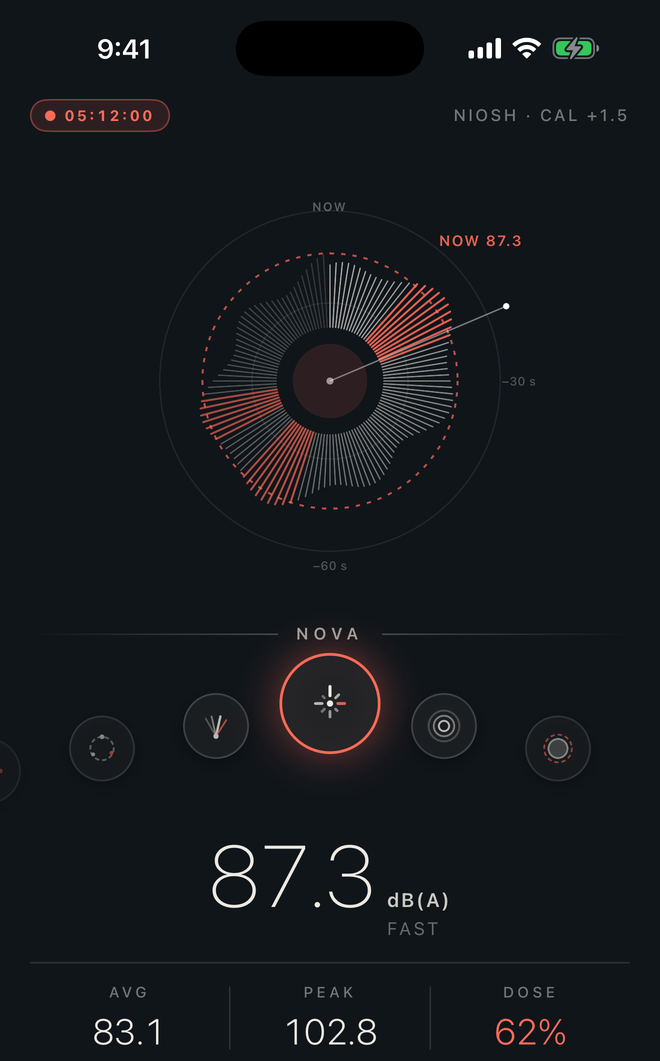
The five tabs
An instrument, not a novelty meter.
Every screen below is a real screenshot from the app — no mockups.
01 — Meter
The live level, on the face you like.
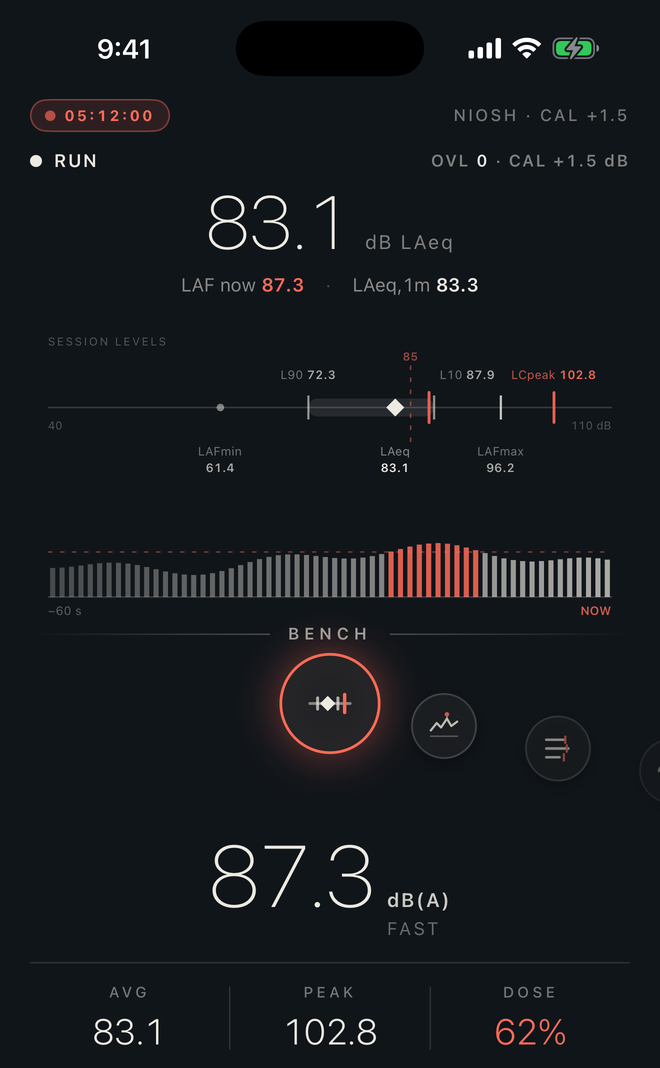
The current sound level in dB with a carousel of switchable faces — from the Bench screen with the session's full statistics to purely visual dials. Play starts a recording session, pause freezes it, stop files it in History.
02 — Spectrum
Six ways to look inside a sound.
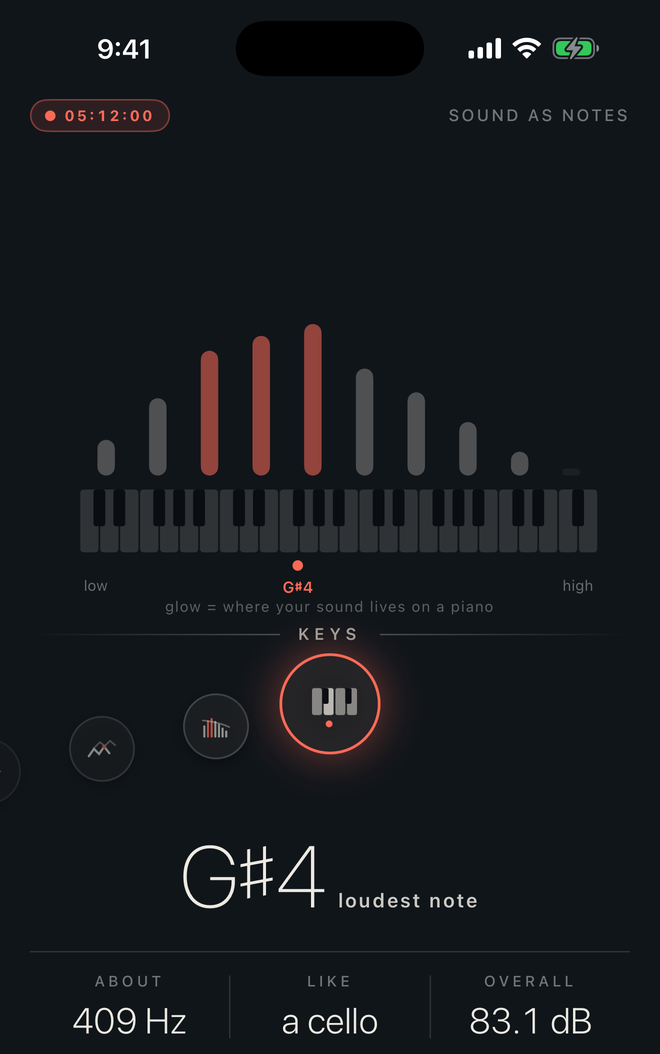
The octave strings, a 60-second waterfall spectrogram, needle peaks with held maxima, the last two minutes as terrain, the 31-band 1/3-octave RTA with its NC room rating, and the piano Keys view that names the loudest note. Snapshot saves the picture to History.
03 — Dose
A shift clock that fills as you work.
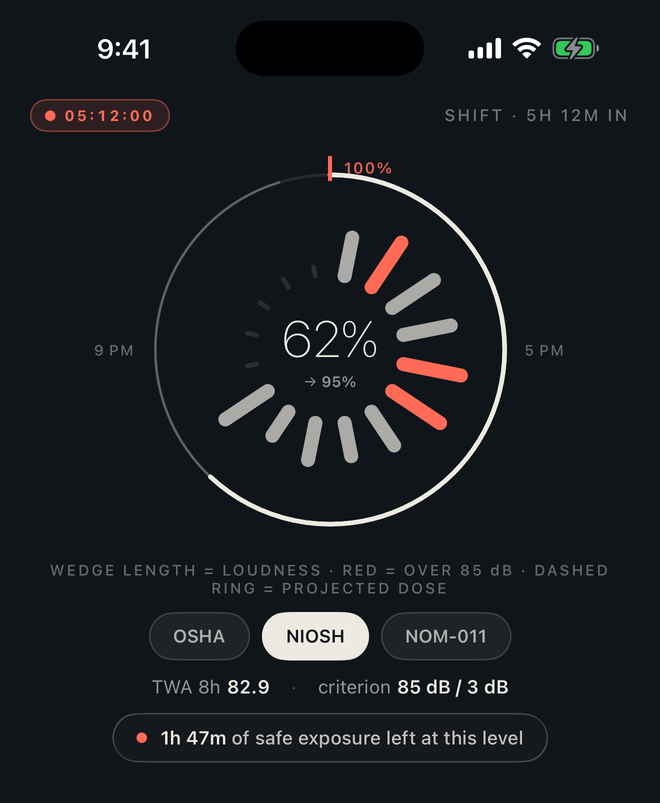
Each wedge is 30 minutes of your day; the dose shows how much of the daily allowance is used, and how much safe exposure is left at the current level. Switch the criterion between OSHA, NIOSH and NOM-011 and every number in the app follows.
04 — History
Every session, filed and exportable.
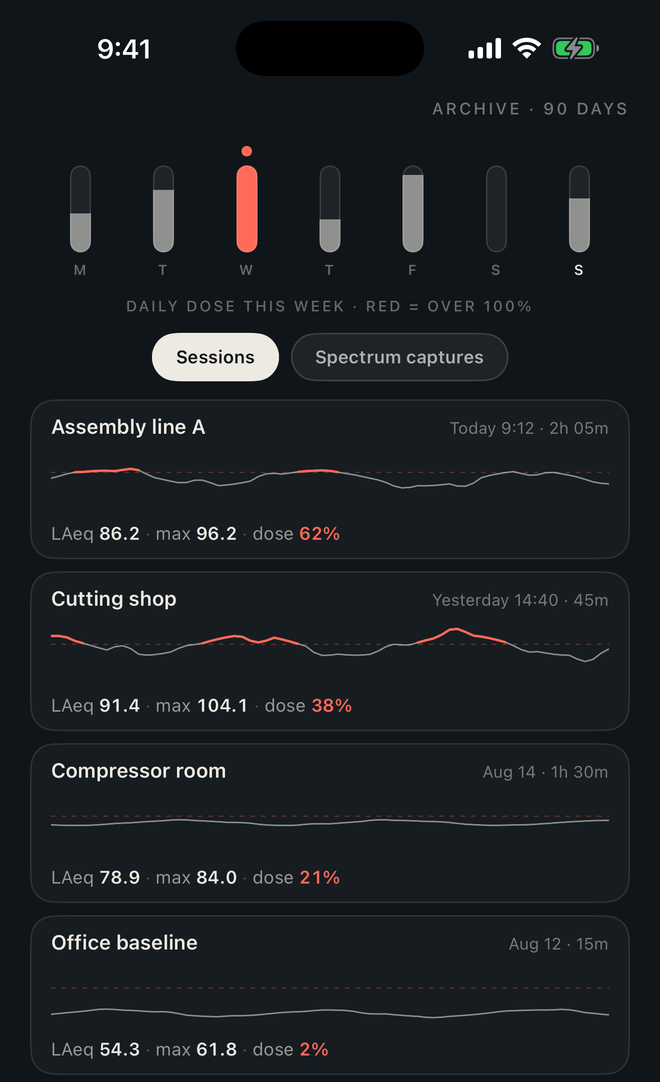
Recorded sessions and spectrum snapshots, kept on your device and synced through your own iCloud. Rename or delete them, see the week's daily dose at a glance, or export a session as a PDF report.
05 — Settings
The signal path, stage by stage.
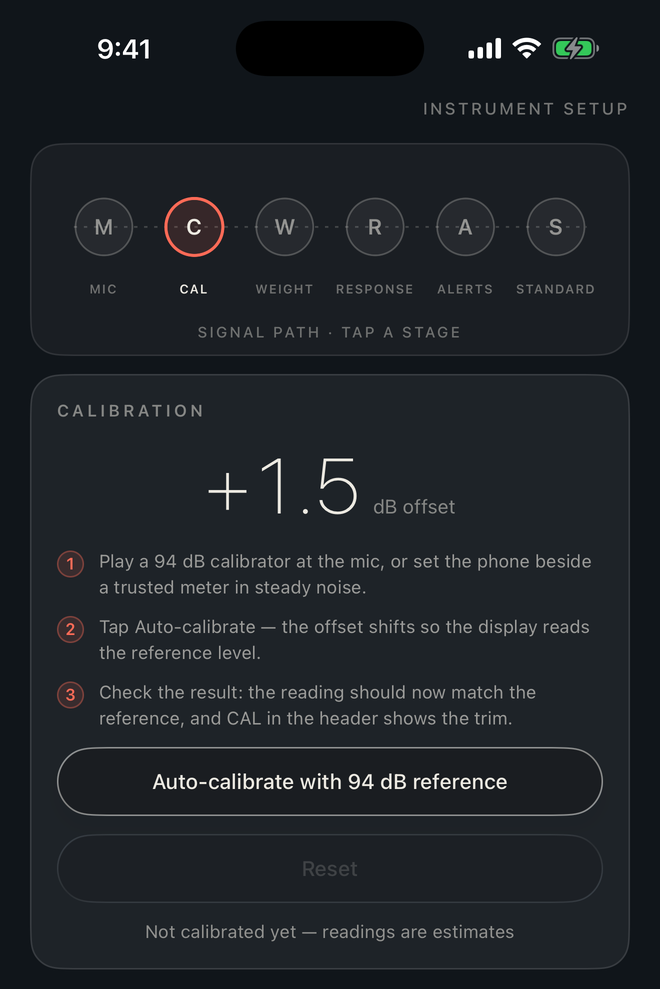
Microphone, calibration, frequency weighting, time response, alerts and the exposure standard — laid out as the chain the sound actually travels through. Auto-calibrate against a 94 dB reference or a trusted meter, and the trim shows in every header.
What you get
Built like lab equipment.
Standards that mean something
Dose, TWA and safe-time computed against OSHA, NIOSH or NOM-011, with the right criterion level and exchange rate for each.
Full session statistics
LAeq, LAFmin and LAFmax, the L10 and L90 percentiles, LCpeak, the LC−LA gap and a count of overload episodes.
31-band 1/3-octave RTA
A real-time analyzer with max hold, plus the NC room rating and the band that breaks the curve.
Calibration you control
Trim the microphone against a 94 dB calibrator or a trusted meter. The offset is shown in the header on every screen.
Keeps measuring in the background
A session runs on while you use other apps or lock the phone, and a local alert fires when the level crosses your threshold.
PDF reports and iCloud sync
Export any session as a report you can send on, and find your archive on every device signed into your iCloud account.
What the numbers mean
No acronym left unexplained.
The app carries a glossary of its own. Here is the short version.
- dB(A)
- Decibels filtered to match human hearing, which is less sensitive to deep bass. Every exposure standard measures in dB(A).
- Avg · LAeq
- The energy average since the session began — one number that summarizes a varying noise as if it had been steady.
- TWA
- Time-weighted average: your exposure so far projected onto a standard 8-hour shift, the number the standards regulate.
- Dose
- The share of the day's allowed noise exposure already used, in percent. 100% means the daily limit is reached.
- L10 · L90
- Percentile levels. L10 is exceeded just 10% of the session (the loud moments), L90 for 90% of it (the background).
- NC
- Noise Criterion, the room rating consultants report: the lowest standard curve the spectrum never exceeds.
Privacy
No account, no trackers, and no servers of ours in the loop.
- No account, no sign-up, no email required.
- No analytics, no trackers, no advertising, no third-party SDKs.
- Sessions and settings stay on your device and sync only through your own private iCloud.
- The microphone is used for measurement only, and iOS asks before it is ever switched on.